New in StoCu: tile variations, forms, your own AI assistant, and a guided way to build
Four big additions: a version of a tile for each group of customers, forms that save answers to Shopify, an MCP server for your own AI assistant, and a guided way to build.
Hi there,
It is Jaren. I have been busy over the weekend leveling up the StoCu experience, and I have four new features to show you. Each one changes what you can do with your customer account pages, and all four are live in your dashboard now.
Tile variations: one tile, a version for each group of customers
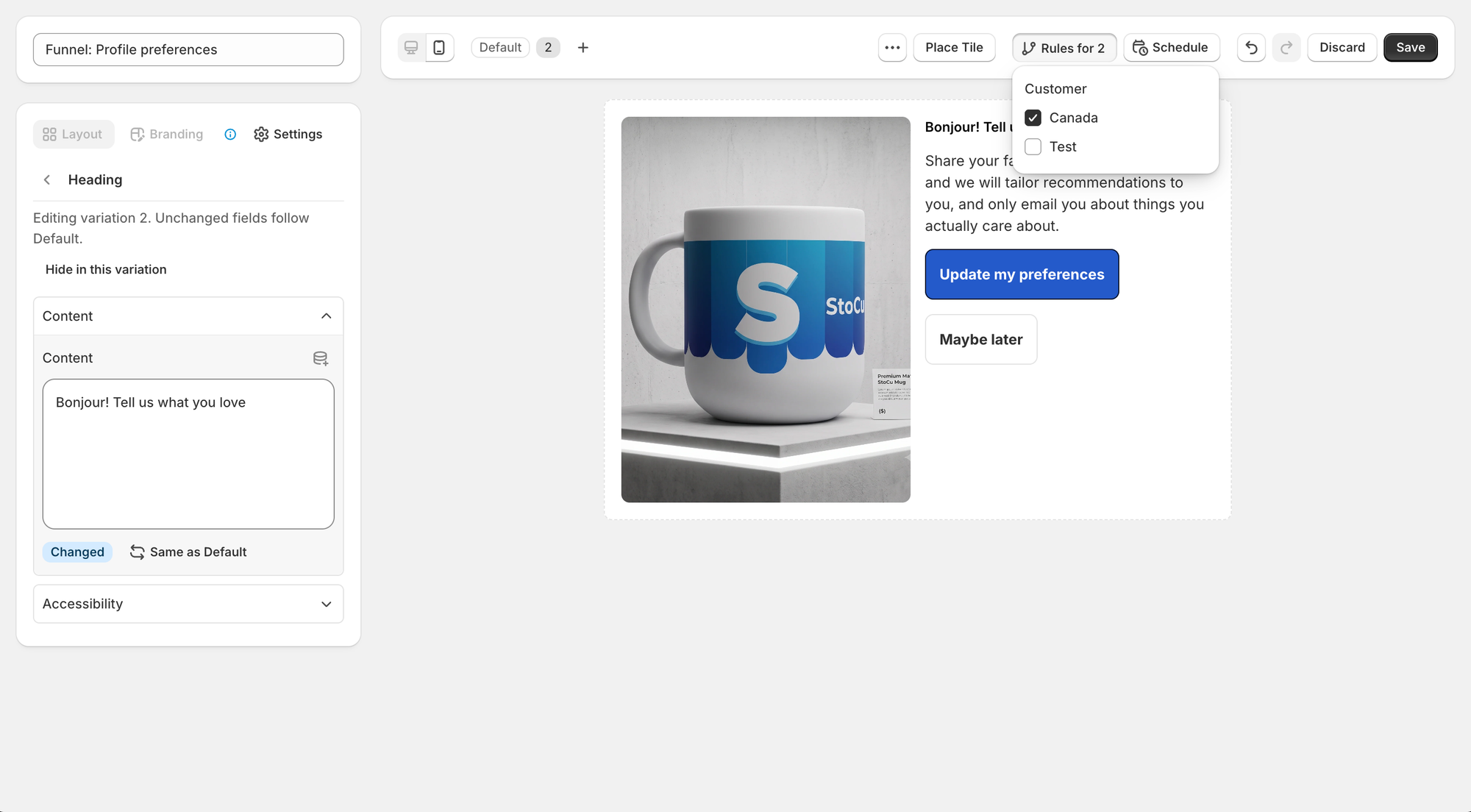
Show your VIPs, your wholesale buyers, or customers in another country their own words, pictures and links, all inside one tile that you place once. Add a variation, change only what should differ, and choose who sees it with a display rule. Everyone else keeps seeing the original.
Until now this meant building several tiles and stacking them in the same spot. Variations are less to build and less to keep in step.
Forms: ask a question, keep the answer
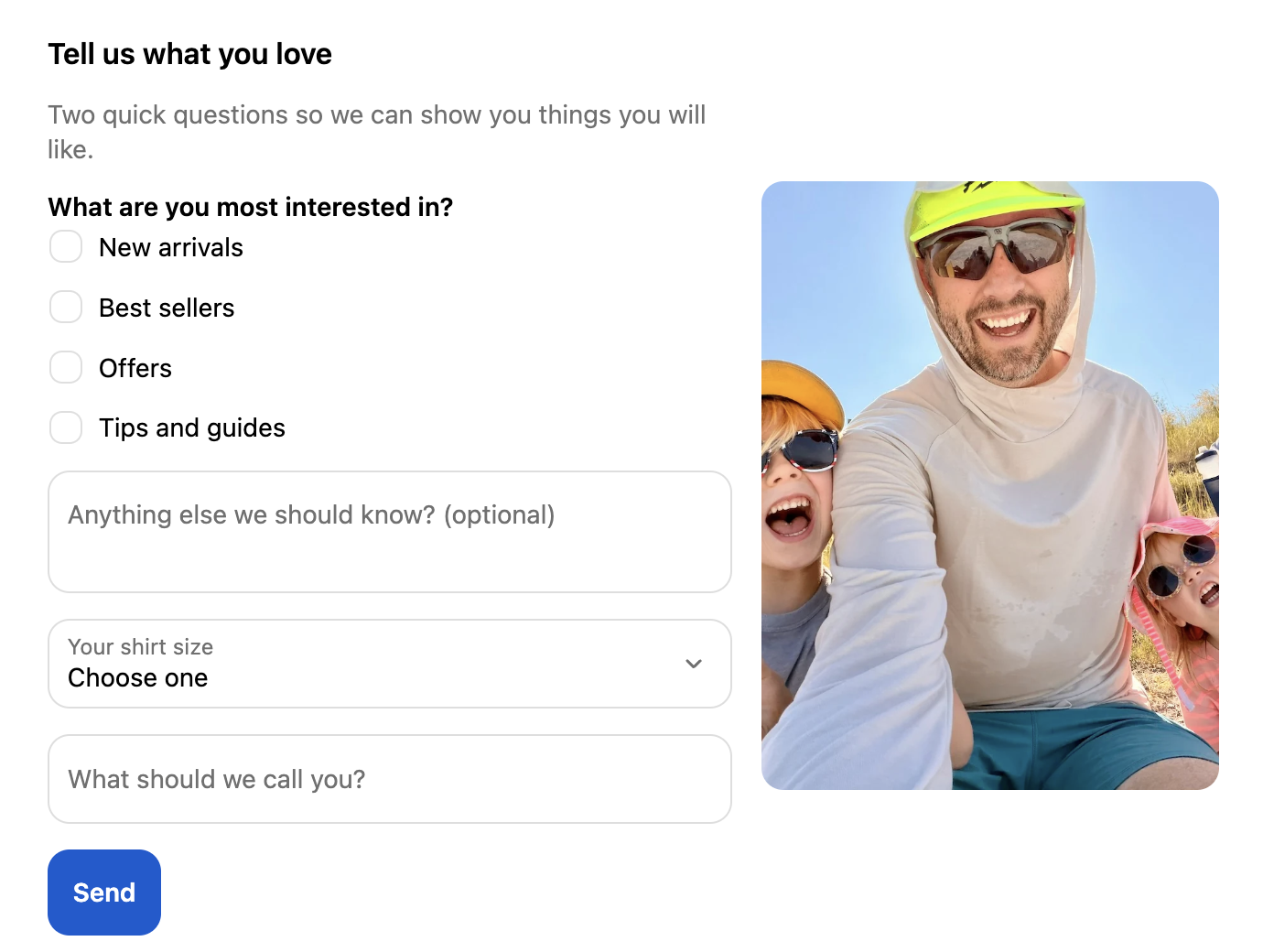
You can now put a short form on your customer account pages. Ask what your customers like, their birthday, their shirt size, or let them apply for wholesale. The answers are saved to the customer in Shopify as real fields, so you can see them on the customer's page, build segments from them, and show a tile only to the people who gave a certain answer.
Every form that is sent also reaches Shopify Flow, so you can email your team or tag the customer by what they said. In my own test the tag landed about five seconds after the customer pressed Send.
An MCP server, so your own AI assistant can build tiles
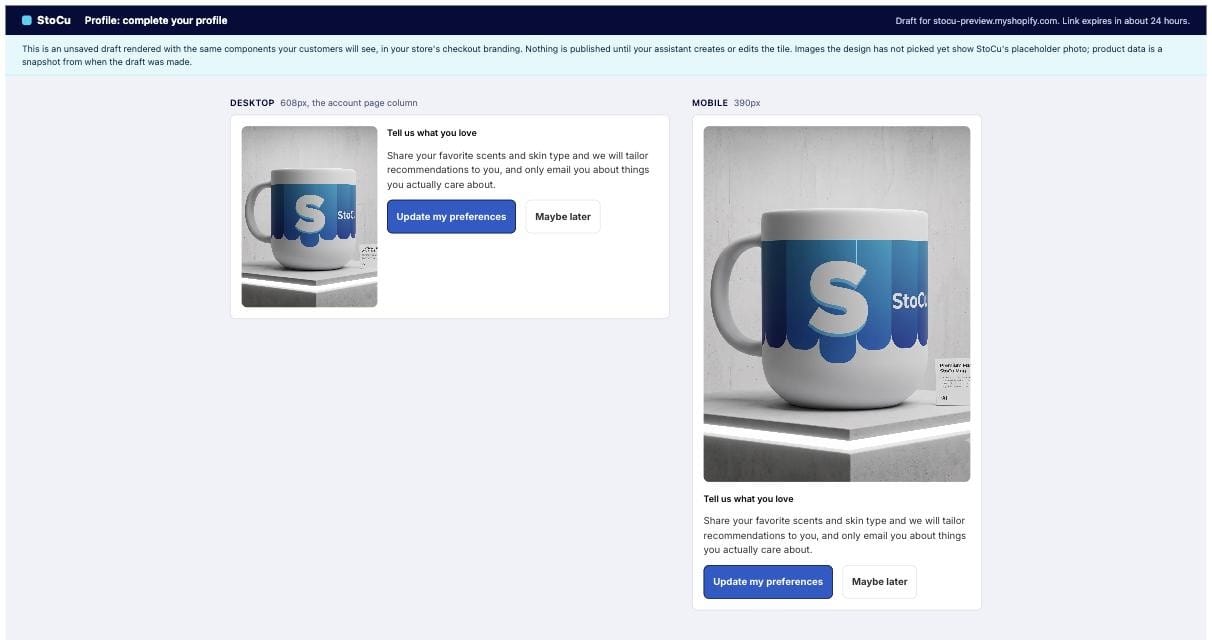
StoCu now has its own MCP server. If you work with Claude, ChatGPT or another assistant that can connect to one, point it at https://mcp.stocu.net and it can work in your StoCu account. Give it a brief, a design, or a folder of pictures, and it builds the tile, shows you a preview page before anything is saved, uploads the pictures, and places the tile on a page.
You approve the connection once in your Shopify admin, you can see every connected assistant on the new Assistants page, and you can disconnect one at any time.
Guided setup: a new tile starts with one question
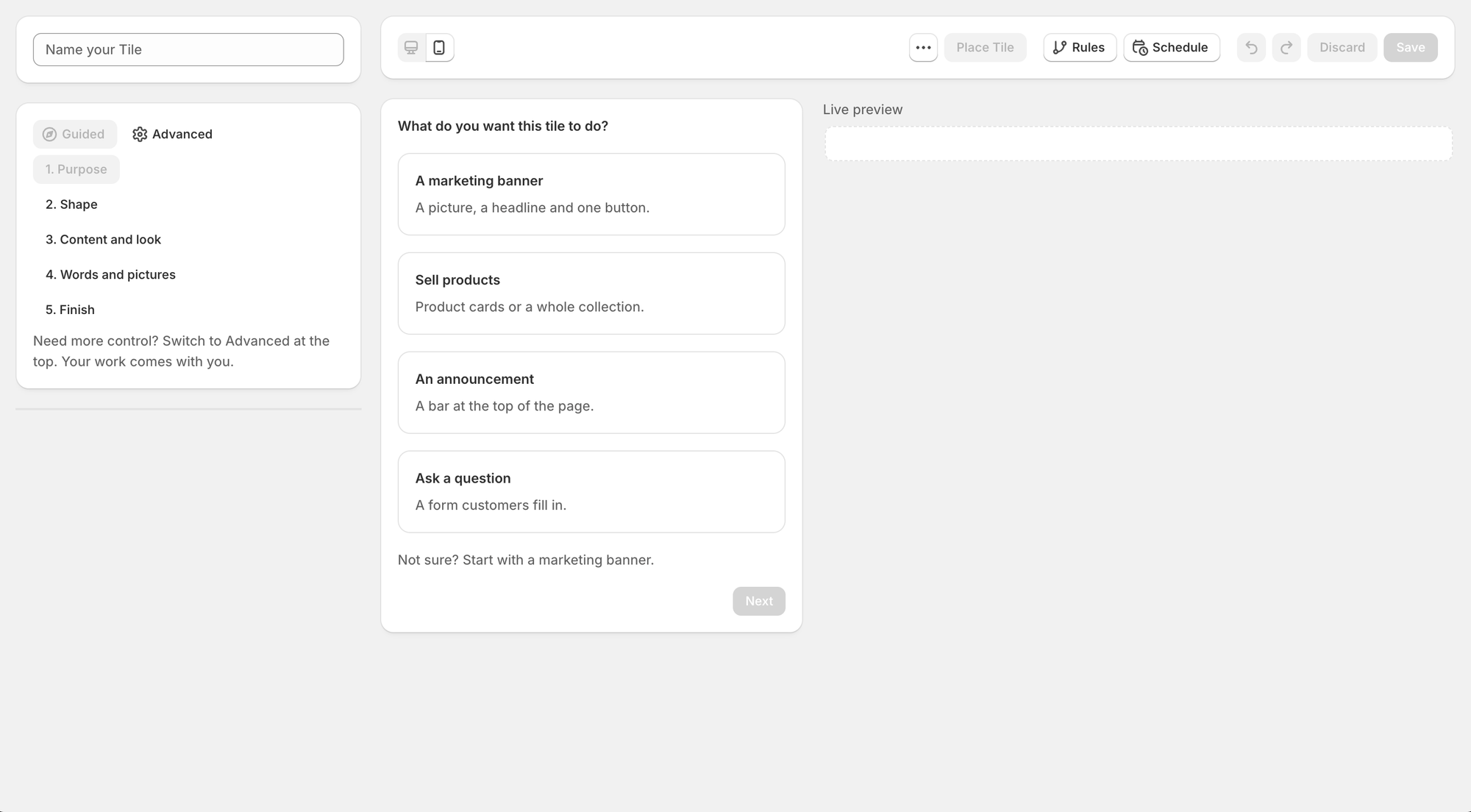
A new tile now asks what you want it to do: a marketing banner, sell products, an announcement, or ask a question. From there Tile Studio walks you through the shape, the content, the words and pictures, and where the tile should go, one short step at a time, with a live preview beside you. The Advanced editor is still one click away, and your work comes with you.
- Display rules by language and country.
- A Help page in the app. A message from there comes straight to my inbox.
- Pick or upload pictures straight from your Shopify Files.
- Clearer messages in the Target Editor when a tile is not showing, and why.
- A simpler Home page, with your numbers on a new Analytics page.
Every change, with dates, is in the changelog.
If you try any of these and something is not clear, reply to this email. I read every reply myself.
Jaren
Founder, StoCu