Build every Black Friday tile in one sitting
Meet the Sale planner. Tick what your sale includes, fill the details in once, and StoCu builds, places and schedules a tile for every page and every moment of the sale.
Meet the Sale planner
Black Friday is November 27. The new Sale planner gets your customer account pages, checkout and thank you page ready for it in one sitting.
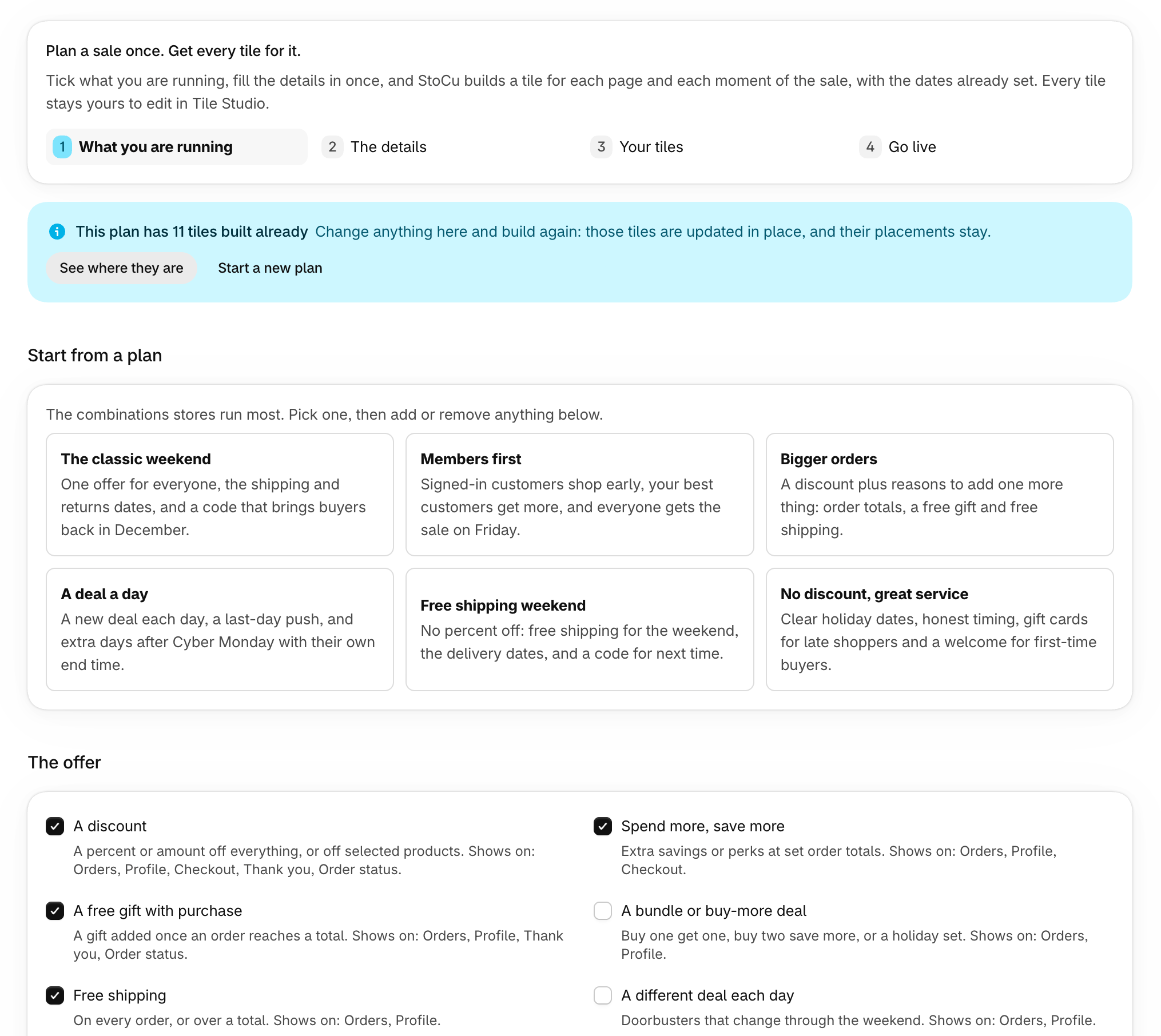
Tick what your sale includes. Fill the details in once. StoCu builds a tile for every page and every moment of the sale.
One plan, every tile your sale needs
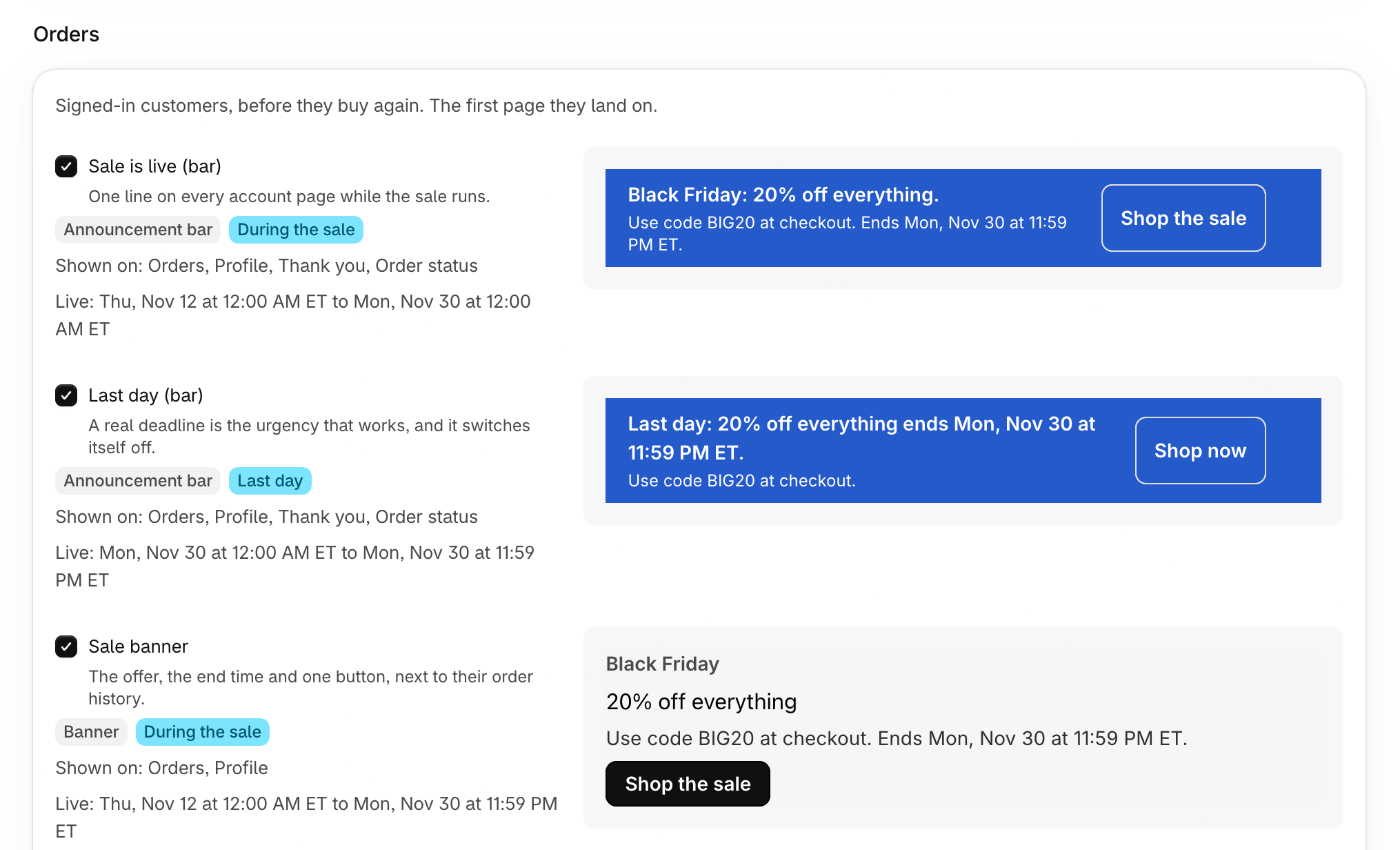
- Announcement bars that hand over by date: early access, the sale, the last day.
- A sale banner on the Orders and Profile pages, where signed-in customers already look.
- How the discount works, right at checkout (on Shopify Plus).
- Thank you and order status tiles: shipping cutoffs, returns, a free gift reminder.
- A come-back code that brings buyers back in December.
There are 21 things to pick from and six ready-made plans to start with, from "The classic weekend" to "Members first" and "Bigger orders".
Four steps, then it runs by itself
- Pick a plan, or tick your own mix.
- Fill the details in once: the offer, the code, the dates.
- Review your tiles. Each one is placed on its page and set to switch on and off at the times you chose, in your store's time zone.
- Go live. Add the StoCu block to each page in Shopify's editor (the planner links you to each one) and set up the discounts in Shopify.
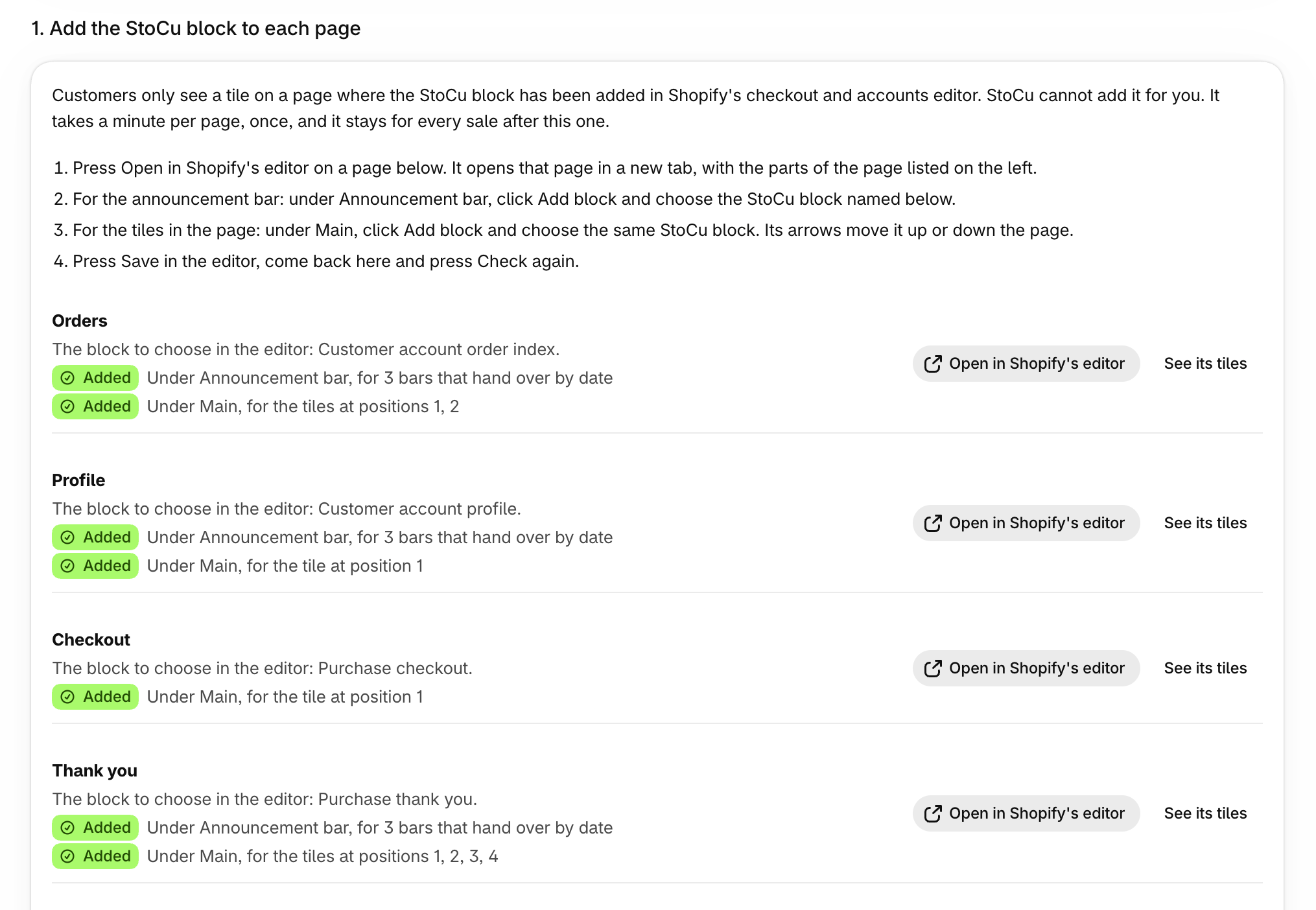
Nobody has to be at a desk at midnight on Friday. Every tile stays yours to edit in Tile Studio, and the planner works for any sale with a start and an end.
Find it as the first link in the StoCu menu, or at the top of the Home page.
- Brand library: share tiles between the stores of one brand.
- Two new display rules: show a tile to B2B customers, or by subscription status.
- Forms remember a customer's answers, and you choose what a returning customer sees.
- Keys for your AI assistant, so a scheduled job stays connected without signing in again.
- Previews in Tile Studio and the Target Editor now use your store's own colors and fonts.
- Custom pages can be narrow or wide.
- A Settings page, with your plan in one place.
Every change, with dates, is in the changelog.
Want a hand with your sale setup? Reply to this email and we will help you build and place your tiles before the weekend.
Best wishes,
Jaren
Founder