Announcement bars
Grab attention on account and thank-you pages with announcement bars: build once, place per page.
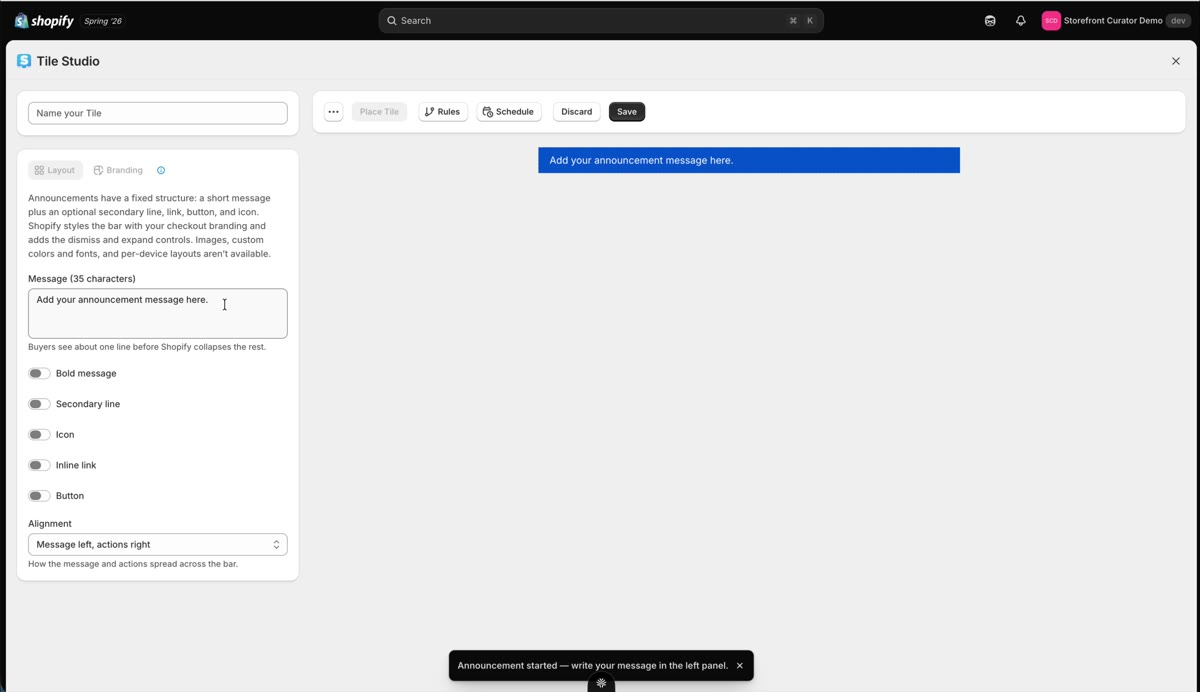
Announcement bars are the fastest way to get a message in front of customers wherever they are in their account: a sale, a shipping cutoff, a rewards nudge.
Build the announcement
Open Tile Studio and select the announcement bar type. Write your message ("Big sale, 40% off now"), bold it, add a secondary line if you want one, pick an icon and size it, and add an inline link or a button. Alignment is up to you: everything centered, or everything left. Display rules work on announcements too, so a bar can target exactly the customers you want.
Place it, page by page
Announcements have their own placement targets. In the Target Editor, hit the plus button under Announcement and pick your announcement bar; regular tiles cannot be placed in announcement targets, and announcement bars only fit there. Then enable it in Shopify's editor like any placement, and refresh to see the enabled state.
Two limits to know. First, placement is per page: if you want the bar everywhere, place and enable it on each page. Second, as of July 2026 announcement bars work on thank-you, orders, order status, and profile pages, but not on custom pages or checkout; Shopify is working on enabling those, and I have tickets in with them.