Tile metrics on your dashboard
What the dashboard numbers mean: active tiles, views, clicks, rules, and scheduled tiles.
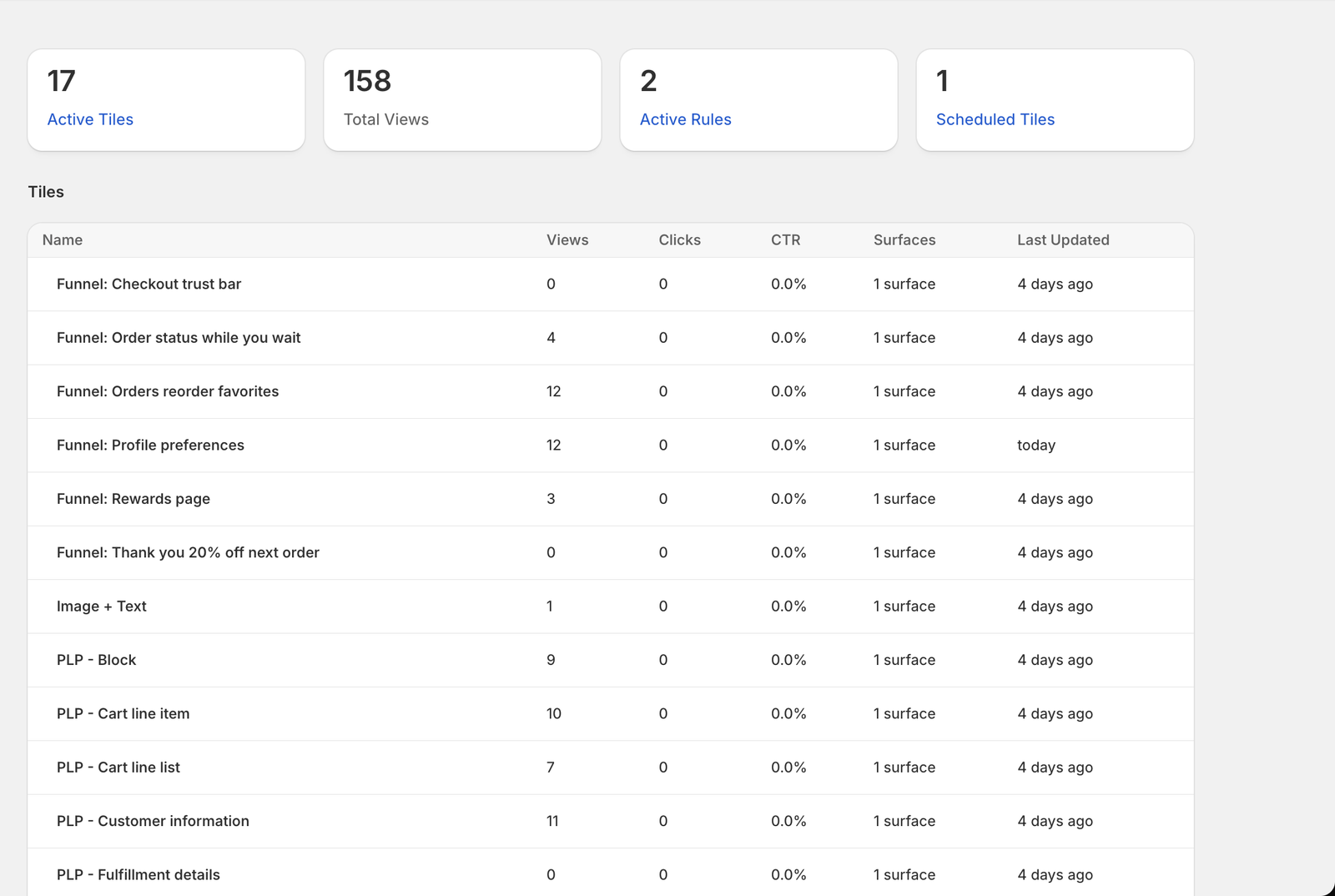
The Analytics page in the app menu gives you a running read on how your tiles are doing.
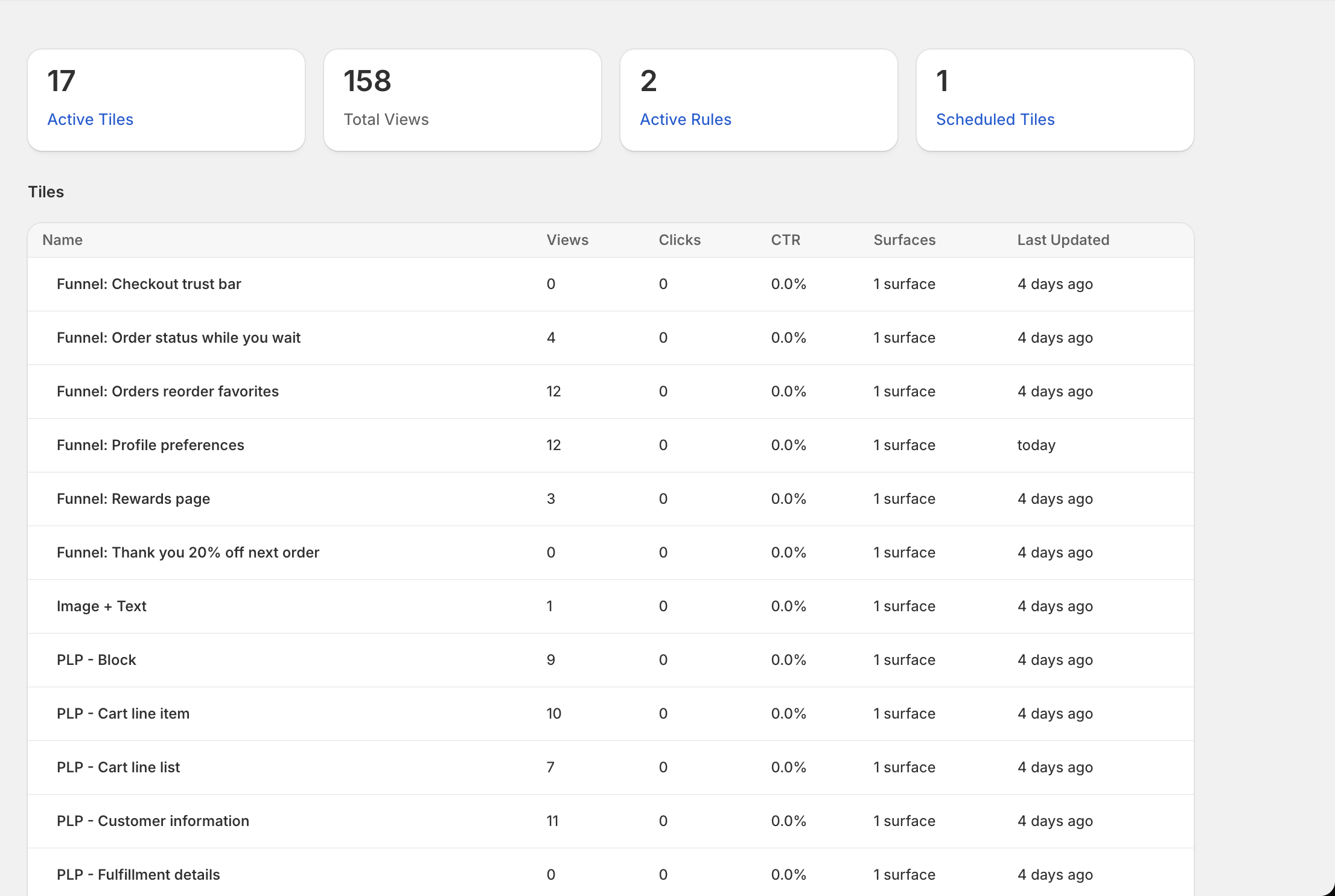
The numbers
- Active tiles: tiles placed on your pages. Saved-but-unplaced tiles do not count, so this number reflects what customers can actually see.
- Total views: combined views across your tiles.
- Active rules: how many display rules you have.
- Scheduled tiles: tiles with a start or end date.
Active tiles, Active rules and Scheduled tiles link to the matching list.
Tile by tile
The table below lists your tiles, each with its views, clicks and click rate (clicks divided by views), how many pages it sits on, and when it was last updated. Clicks are the number to watch when you are testing which content earns attention.
A tile with variations is counted as one tile: its views and clicks cover every version.
Updated on Sep 19, 2026