Product cards and product grids
Shoppable tiles: pick products, let StoCu fill in images, names, and prices, then override anything you want.
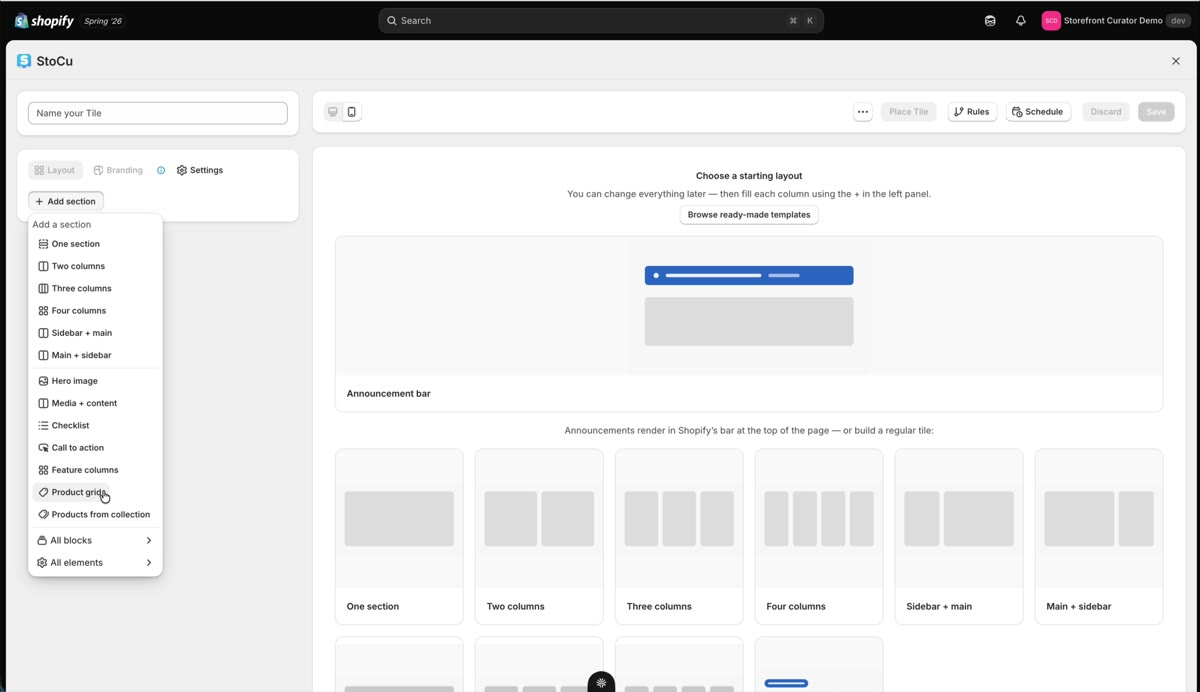
Product blocks turn your account pages into a storefront. Pick the products; StoCu pulls in everything else and keeps it current.
Add a product grid
In Tile Studio, hit Add section and choose a product grid. It comes pre-formatted. Click the Section to open its menu, then pick your products with the resource picker; a grid holds up to 12. StoCu automatically fills in the image, name, and price for each, and you can toggle descriptions and pricing on or off.
Override anything, per product
Every product in the grid can be customized individually:
- Images: change the aspect ratio (a 4 by 5, for example), swap the source image from the Shopify default, add alt text.
- Buttons: each product's call to action can use the default or your own label and link.
- Titles, descriptions, prices: write them manually or keep them linked to the live product data.
A small icon shows you which product each override belongs to, so bigger grids stay manageable.
Anything left on product data stays live: pricing changes, title edits, and description updates flow into your tiles automatically, no re-publish needed. For grids that manage themselves entirely, see Collection grids; for how the buttons behave, see Buy now buttons.