Create a tile by chatting with Sidekick
Describe the tile you want in one sentence and watch Sidekick build it in Tile Studio.
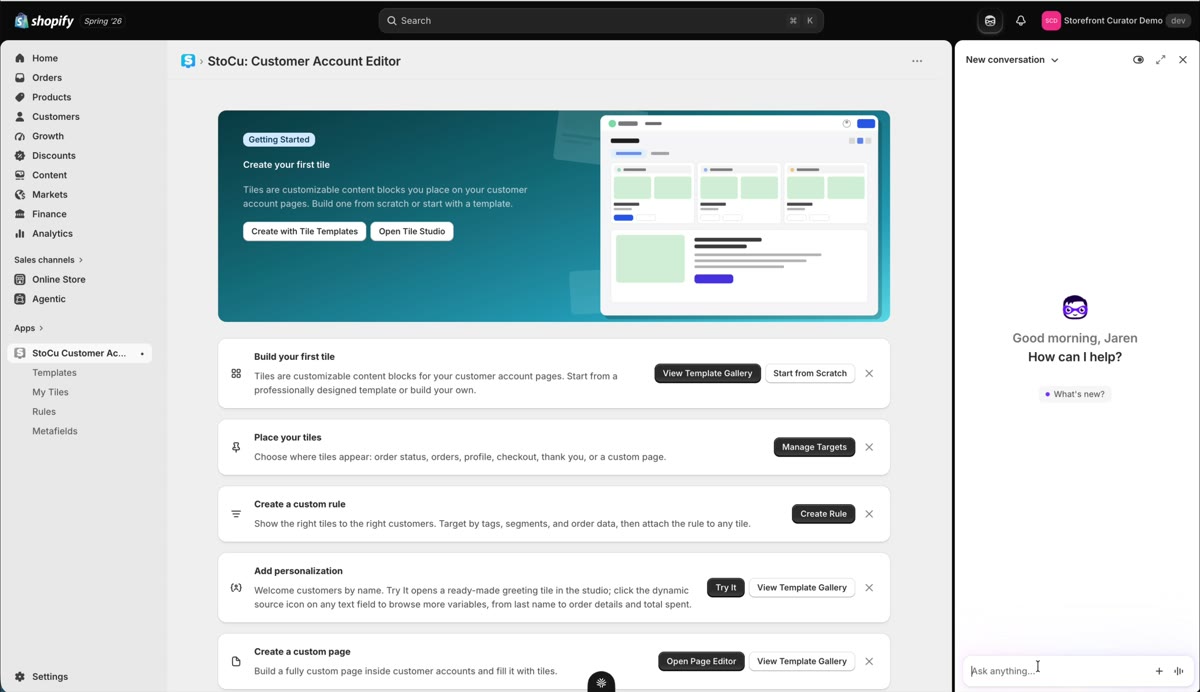
Sidekick is Shopify's AI assistant, and StoCu is wired into it. It has become one of the fastest ways to start a tile: describe what you want, watch it get built.
Enable it first
Open Sidekick from the icon in the Shopify admin's top navigation. The first time, you need to enable StoCu inside it: hit the plus button, go to Apps, and select StoCu. If it says no apps found, refresh the page and look again; that usually clears it. You will also approve access once on first use.
Ask for what you want
Compound requests work. For example: "Create a three column product grid with a personalized customer greeting above it." Sidekick opens the tile with the structure seeded and drafts the rest while you watch.
Two things to know while it works. Sidekick now opens Tile Studio at full size, so you watch the tile being built in the same editor you use yourself. (If you have unsaved changes elsewhere in the admin, Shopify falls back to a smaller pop-up view; that is normal too.) And once it finishes, hit save and return; the tile lands in My Tiles, ready for fine-tuning.
Prefer Claude or ChatGPT? You can connect your own AI assistant and build tiles from there, with your own files and images.
Next: editing existing tiles by chat, and the tips that keep Sidekick moving.