Every page StoCu can curate
The surfaces StoCu can place tiles on: orders, order status, profile, custom pages, checkout, and the thank-you page.
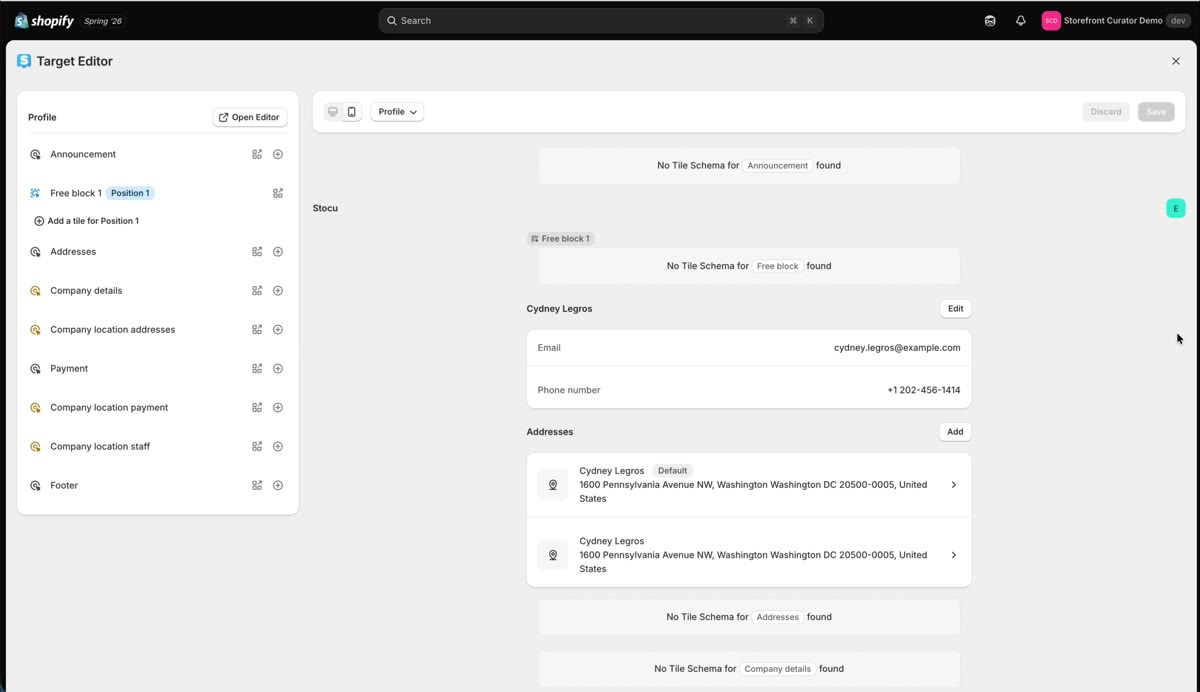
StoCu curates the pages around login and purchase. Here is the full map.
The surfaces
- Orders: the order index customers see first in their account.
- Order status: the page for a single order, prime post-purchase real estate.
- Profile: account details, a natural home for membership and rewards content.
- Custom page: an entirely new page you add to the account navigation. See Custom pages.
- Checkout (on Shopify Plus): tiles inside the checkout itself.
- Thank-you page: the moment right after purchase.
Announcement bars have their own placement targets on top of these pages as well.
See it all at a glance
The placement overview under My Tiles shows every surface with a green check where tiles are placed, so you always know what is live where. Account pages work on every Shopify plan; checkout placement is a Shopify Plus feature.
Updated on Jul 31, 2026